App That Tells You What's Wrong With Your Plant (2026)
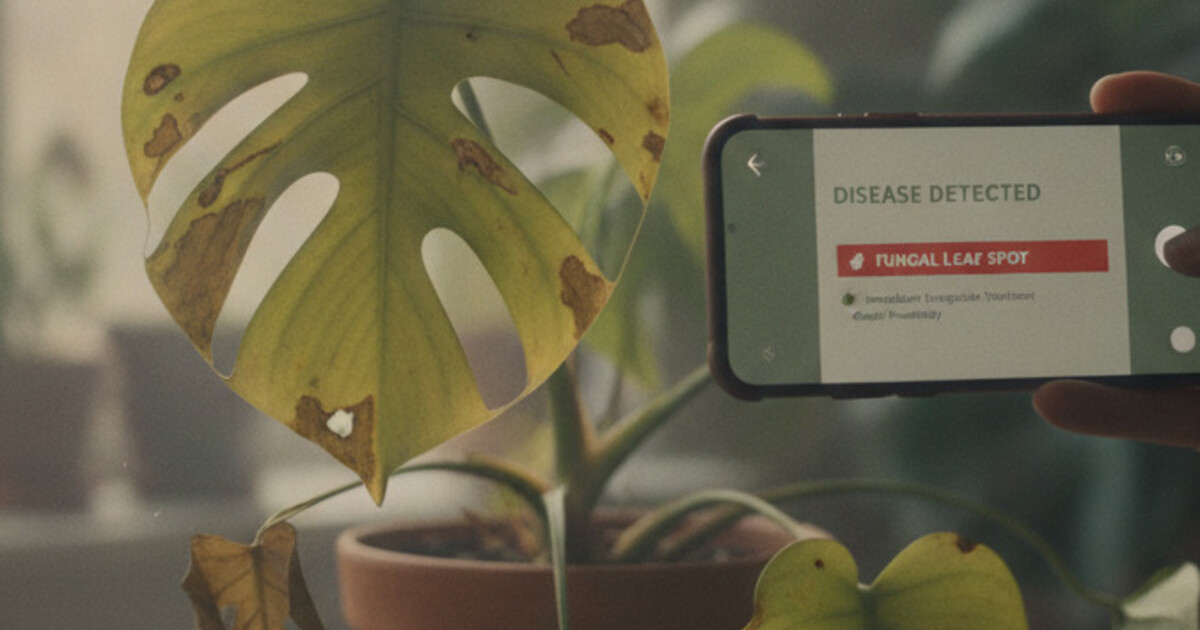
Your monstera is drooping. Your pothos has brown patches spreading toward the stem. You’ve been searching for 20 minutes and every result gives you five possible causes with no way to narrow them down.
What you need is an app that tells you what’s wrong with your plant. A specific cause. A fix. This guide covers which apps actually do that, how accurate they are, and which one gets you to a real answer fastest.
The best app for telling you what’s wrong with your plant is PlantlyAI. Photograph the affected leaf or stem and the app identifies the disease, pest, or care problem. It gives you a step-by-step treatment plan with organic, biological, and chemical remedy options. Two free diagnoses daily, no account needed.
Why Most Plant Apps Don’t Actually Diagnose Problems
Most plant ID apps were built to answer one question: what plant is this? Useful on a nature walk. Less useful when your plant is dying and you already know it’s a pothos.
Disease diagnosis requires a different kind of model. A species identification model trains on healthy plants sorted by botanical category. A diagnosis model trains on sick plants sorted by what’s wrong with them, and by how those problems look at different stages of development.
Several popular apps blur this line. They identify the species first, then layer disease features on top as a secondary step. A few skip identification entirely and go straight to the problem. That difference matters at 10pm when you’re standing over a wilting plant deciding whether to repot it, treat for fungus, or just move it to better light.
The question “what’s wrong with my plant” has a specific answer. The right app gives you that answer directly.
The Apps That Tell You What’s Wrong With Your Plant
Plant diseases and pests destroy roughly 40% of global food crops annually, per the UN FAO, with fungal pathogens causing the largest share of losses. In houseplant settings, overwatering is consistently cited as the leading preventable cause of plant death, linked to an estimated 50-60% of avoidable losses. The core challenge is that many problems share identical symptoms: yellowing leaves can indicate overwatering, underwatering, nitrogen deficiency, iron chlorosis, root rot, spider mites, or low light. Visual diagnosis without a reference database is genuinely difficult. AI plant apps solve this by matching photos against disease libraries with thousands of labeled images per condition. The PlantVillage dataset, built at Penn State University with Gates Foundation support, contains over 54,000 labeled images covering 26 diseases across 14 plant species. Modern apps build on that foundation with broader houseplant coverage, letting the AI separate bacterial leaf spot from fungal blight from an overwatering pattern in the same leaf.
PlantlyAI is designed around one job: tell you what’s wrong and how to fix it. Take a photo of the problem area and the app returns the cause plus 3 treatment paths: organic (neem oil, copper spray, manual removal), biological (beneficial insects, microbial sprays), and chemical (faster-acting synthetic options for advanced cases). You pick the approach that fits your setup.
It covers houseplants, garden flowers, vegetables, trees, and crops, so you don’t need separate apps for your indoor calathea and your outdoor tomatoes. A plant disease library inside the app lets you browse conditions before scanning, which helps you understand what the AI matched against when results come back.
Two free diagnoses per day, no account needed. Premium removes the daily cap.
PictureThis leads with species identification and layers disease features on top. For diagnosis, you typically identify the plant first, then scan for problems. That adds a step when you already know what you’re growing.
The disease database is solid. The app’s main focus is identification and care guides rather than diagnosis-first. The subscription model charges for features beyond basic ID. If your main question is “what’s wrong,” you’re paying for tools you might not use.
Plantix was built for smallholder farmers and performs well on vegetable and crop diseases. It asks for your location to adjust for regional disease pressure, which makes sense in field settings. For tropical indoor houseplants, the training emphasis is less matched. Worth using if your sick plants are in a garden or on a farm. Less suited for calatheas and pothos.
PlantIn offers an AI chat interface alongside photo scanning. You can describe symptoms in text and the AI will ask follow-up questions before suggesting a cause. Useful for problems that don’t photograph well, like root damage on a plant whose leaves still look almost normal. The diagnosis depth is more surface-level than PlantlyAI’s treatment detail, and the free tier is restricted. Better as a supplement than a primary tool.
For a full breakdown of free options with no paywalls, our guide to the best free plant disease apps without a subscription covers the pricing structures in more detail.
How PlantlyAI Diagnoses Your Plant’s Problems
The process is stripped back to what matters. Open the app, photograph the affected area, wait a few seconds. The result screen shows the identified disease or problem, a confidence level, a description of what causes it, and the treatment options.
The treatment split is the most useful part. Organic options suit gardeners who want to avoid chemicals around children, pets, or edible plants. Biological options work for ongoing integrated pest management. Chemical options give faster control when the problem has progressed and you need results quickly.
The built-in disease library is worth browsing before you scan. Looking up “powdery mildew” before photographing your plant helps you see the markers the AI looks for. The library covers diseases, pests, and nutrient deficiencies, sorted by type and by plant.
PlantlyAI is available on iOS and Android.
What an App Can Tell You About Your Plant’s Health
A good diagnosis app covers the full range of common plant problems. PlantlyAI handles all of these:
Fungal diseases: Powdery mildew, gray mold (Botrytis), leaf spot diseases, and root rot caused by Phytophthora or Fusarium when soil stays waterlogged too long.
Bacterial infections: Bacterial leaf spot, bacterial wilt, and soft rot at the stem base that starts as water-soaked lesions and spreads fast.
Pest infestations: Spider mites, mealybugs, scale insects, fungus gnats, aphids, and thrips. Each shows different visual signs and needs a different treatment approach.
Nutritional deficiencies: Nitrogen deficiency (lower leaves yellow first while new growth stays green), iron chlorosis (young leaves yellow with visible green veins), and calcium deficiency (distorted new leaves that fail to unfurl).
Care and environment problems: Overwatering, underwatering, sunburn from direct harsh light, cold damage from drafts, and salt buildup from tap water or overfertilizing.
Getting the category right changes what you do next entirely. If you’re not sure whether the symptoms come from watering issues or something else, our guide on overwatered vs underwatered plants walks through the visual differences before you scan.
Frequently Asked Questions
How accurate are apps that diagnose plant problems?
Accuracy depends on photo quality, lighting, and how advanced the symptoms are. For common fungal diseases, pests, and care problems, current AI apps identify the correct cause in most cases. Early-stage symptoms are harder to read than well-developed ones. A close-up photo taken in natural light improves accuracy significantly compared to indoor artificial lighting.
Can these apps identify what’s wrong with outdoor plants and vegetables?
PlantlyAI works across houseplants, garden flowers, vegetables, trees, and crops. Whether your tomatoes have leaf spots or your indoor pothos is wilting, the same app handles both without switching tools. Plantix is also worth using for vegetable and crop diagnosis, though its training focus leans toward field crops.
Do I need to identify the plant before scanning for problems?
With PlantlyAI, no. You can photograph the sick area directly without identifying the species first. Some apps route you through species identification before reaching disease features, which adds steps when you already know what you’re growing and just want a quick diagnosis. PlantlyAI skips that step entirely.
Is PlantlyAI free to use?
PlantlyAI gives you 2 free diagnoses daily with no account or email address required. The free limit resets each day. The Premium tier removes the daily cap if you’re working through several sick plants or want unlimited scans without waiting for the reset.
What if the first scan gives an unexpected result?
Take a fresh photo from a slightly different angle or in better natural light, then scan again. AI accuracy improves with cleaner source images. If two scans give different results, check both against the disease library descriptions inside the app to see which symptoms match your plant more closely.
Get Your Diagnosis Before the Problem Spreads
Most plant problems are fixable when you catch them early and treat the right cause. PlantlyAI takes you from “something’s wrong” to “here’s the fix” in under a minute. The 2 free daily diagnoses cost nothing to start. Download PlantlyAI on iOS or get it on Android and find out what’s actually going on with your plant.
Not sure what's wrong? Diagnose your plant free
Upload a photo to our free plant disease identifier and get an instant diagnosis.