Best Free Plant Disease App for Houseplants (2026)
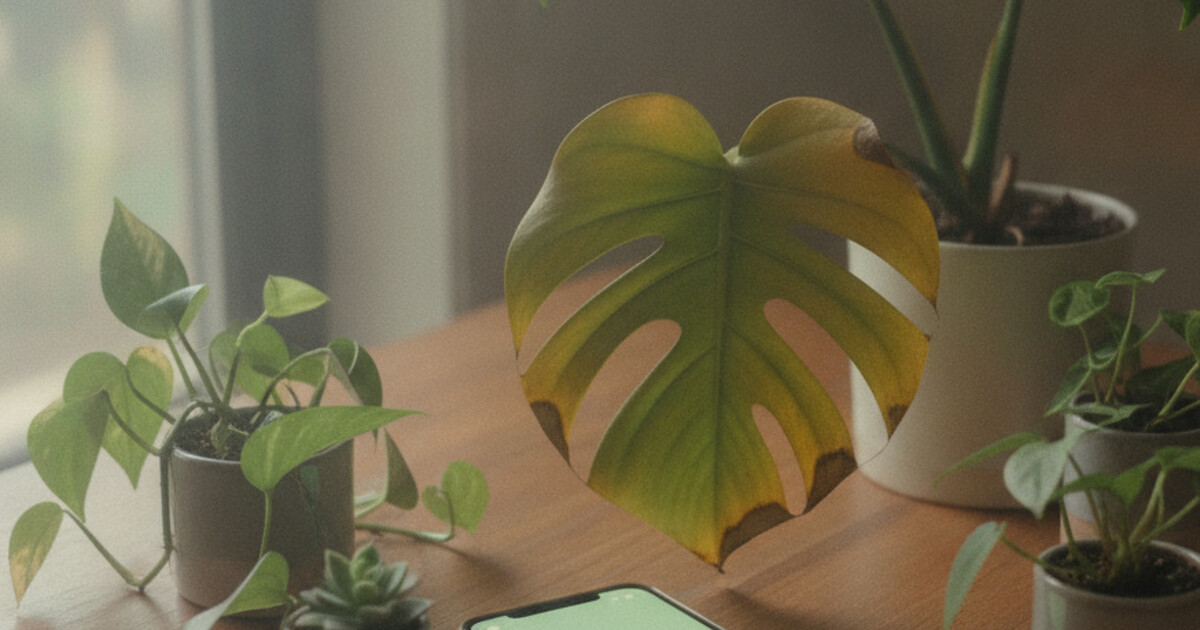
Your calathea’s leaves are curling. Your pothos has dark mushy patches near the soil line. You’ve already adjusted the watering schedule, moved it closer to the window, and Googled “why is my houseplant dying” — and now you’re stuck between five possible causes with no way to tell which applies to your plant. A photo-based plant disease app cuts through all of that. You photograph the affected area, the AI identifies what’s wrong, and you get a treatment plan. The question is which free app actually handles houseplants well, rather than field crops and tomatoes.
Most plant apps were built with outdoor and agricultural plants in mind. Houseplant collections have their own disease patterns: overwatering damage, root rot from compacted soil, humidity stress on tropical species, and indoor pest cycles with no natural predators to slow them down. Getting an accurate diagnosis means using an app trained on the conditions indoor plants actually face.
The best free plant disease app for houseplants in 2026 is PlantlyAI. It gives 2 free diagnoses per day with no account required, returns a specific disease name rather than a vague category, and follows up with a treatment plan covering organic, biological, and chemical options. PictureThis, Plantix, and Greg are worth knowing about, but each fits a narrower use case.
What to Look for in a Free Houseplant Disease App
Knowing what separates a useful app from a frustrating one saves a wasted download or two.
In 2026, the most common houseplant diseases fall into three categories: watering-related damage (root rot, stem rot, drought-stress browning), pest infestations (spider mites, mealybugs, fungus gnats, scale insects), and fungal infections triggered by low airflow (powdery mildew, gray mold). Root rot is the leading cause of houseplant death. It sets in when potting mix stays wet for 10 to 14 days continuously, cutting off oxygen to the roots. Indoor plants also face disease patterns that outdoor garden apps rarely cover well: low-humidity crisp on tropical species like calathea and fittonia, overwatering edema that mimics bacterial leaf spot, and sooty mold from honeydew-secreting insects. Agricultural disease apps optimize for field-crop pathogens like late blight, bacterial wilt, and Fusarium strains. These databases perform poorly on the problems most houseplant owners encounter day to day. An app built specifically for houseplant disease handles these indoor-specific patterns with considerably more accuracy.
Four things worth checking before you download:
- Diagnosis specificity: “Root rot” is more useful than “watering problem.” Look for apps that name the exact condition, not just the category.
- Treatment depth: A diagnosis with no follow-up is only half the job. The best apps include treatment steps with multiple approaches.
- Houseplant species coverage: Apps built for field crops struggle with tropical houseplants. Check that the app handles monstera, pothos, calathea, and peace lily.
- Free scan count: Some apps give 3 free scans per month. Others give 2 per day. That gap matters when you’re dealing with a pest that’s spreading through your collection.
Best Free Plant Disease Apps for Houseplants (2026)
Here’s how the main options compare for indoor plants specifically.
1. PlantlyAI — Best Overall for Houseplants
PlantlyAI is built around disease diagnosis first. You photograph the sick leaf or stem, and the app returns a specific diagnosis (root rot, spider mites, bacterial leaf spot, powdery mildew) plus a treatment plan with multiple remedy choices. You pick organic, biological, or chemical treatment depending on what you have at home.
The free tier gives you 2 diagnoses per day, no signup required. The app covers houseplants, outdoor flowers, vegetables, and trees, so one download handles your whole collection. For indoor plants specifically, PlantlyAI handles the conditions that show up most: overwatering damage, mold from low airflow, and pest infestations that cycle through multiple plants. The plant disease library also lets you look up conditions manually when you want to research before scanning.
2. PictureThis — Strong Identifier, Limited Free Disease Tier
PictureThis is the most downloaded plant app on iOS. Its core strength is species identification, built across more than 50 million downloads since 2017. Disease detection is a secondary feature and performs reasonably well on common houseplants photographed in good light.
The free tier is the limitation. PictureThis caps free scans aggressively and pushes toward a paid subscription ($29.99/year as of 2026). For occasional plant identification, the free tier is workable. For active disease diagnosis across a growing collection, it runs thin quickly. If you’re weighing whether the subscription is worth it, our full PictureThis review covers the pricing tiers in detail.
3. Plantix — Solid for Vegetables, Thinner on Tropical Houseplants
Plantix was built for agricultural plants and field crops. The diagnosis engine is strong for tomatoes, peppers, cucumbers, and citrus. For tropical houseplants, coverage drops off. If your collection is mostly ornamental indoor plants, expect gaps in the disease library, especially for less common species. If you’re growing vegetables indoors alongside your houseplants, Plantix is worth adding as a companion app.
4. Greg — Watering Schedules, Community-Based Disease Help
Greg is primarily a watering reminder and plant care calendar. It does that job well. For disease diagnosis, Greg relies on its user community rather than a dedicated AI engine. You post a photo, other Greg users respond with suggestions. Speed and accuracy depend on whether knowledgeable users happen to be active at that moment. Useful as a companion app, but not the right tool when your plant is actively sick and you need an answer fast.
5. NatureID — Identification-Focused, Minimal Disease Diagnosis
NatureID identifies plant species accurately. Disease diagnosis is minimal. It’ll name your plant and list common diseases for that species, but it won’t analyze your specific photo for active disease. For species identification, NatureID performs well. For treating a sick plant, a dedicated diagnosis app works better. Our NatureID accuracy review covers where it succeeds and where it falls short.
Why Houseplant Disease Diagnosis Is Different
Outdoor plant disease apps operate on a different problem set. Agricultural apps are optimized for pathogens that spread across fields: late blight, fire blight, powdery mildew on wheat, bacterial wilt in vegetables. These are fast-moving, weather-driven diseases that behave predictably in open environments.
Houseplants get sick for different reasons. Watering mistakes cause more houseplant deaths than any pathogen. Overwatering and underwatering both produce yellowing, browning, and wilting, and the symptoms overlap enough that guessing usually makes things worse. Photographing the affected area and letting an AI read the specific pattern (mushy vs. crispy, spot shape and color, where on the leaf the damage starts) cuts through that ambiguity. For a full breakdown of how to read physical symptoms before scanning, the overwatered vs. underwatered plant guide is a useful starting point.
Indoor pests spread differently too. Outside, wind dispersal, beneficial insects, and rain all slow pest cycles. Inside, spider mites and mealybugs move plant to plant unchecked, and by the time you notice a second infested plant, the first has been feeding the population for weeks. An app trained on crop diseases often misreads indoor patterns: overwatering edema gets flagged as bacterial infection, low-humidity stress gets logged as nutrient deficiency. Diagnosis accuracy comes from training data that matches the conditions the app’s users are actually dealing with.
Getting the Most Accurate Diagnosis
A few things that improve results, regardless of which app you’re using.
Shoot in natural light. Indoor artificial lighting creates color casts that can confuse disease detection algorithms. Moving the plant to a window for 30 seconds before photographing makes a real difference.
Photograph the problem area, not the whole plant. If there are brown spots on one leaf, fill the frame with those spots. Full-plant photos give the AI less to work with than close-ups of the actual affected tissue.
Scan from multiple angles if the symptoms look different on different parts of the plant. Root rot shows up at the stem base and in the soil; leaf symptoms show up higher. Pest damage concentrates on leaf undersides. Capturing both angles gives the app more to go on.
If the first diagnosis doesn’t quite fit, cross-reference the suggested treatment against your plant’s environment. A recommendation to “increase direct sunlight” doesn’t apply to a monstera or peace lily. The plant disease library helps clarify which treatments fit which conditions.
Frequently Asked Questions
What’s the best free app to diagnose a sick houseplant?
PlantlyAI is the strongest free option for houseplant disease diagnosis in 2026. It offers 2 free diagnoses per day with no account required, returns a specific disease or pest ID, and provides a step-by-step treatment plan with organic, biological, and chemical options. Available on iOS and Android.
Can PictureThis diagnose plant diseases for free?
PictureThis includes disease detection in its free tier, but free scans are limited and the app pushes quickly toward a paid subscription. It performs better on species identification than on disease diagnosis, and the free tier isn’t practical for regular disease checks on a growing collection.
Is Plantix good for houseplants?
Plantix is optimized for agricultural and vegetable crops rather than ornamental houseplants. It works well for tomatoes, peppers, cucumbers, and citrus. For tropical indoor plants like monstera, calathea, or peace lily, coverage is noticeably thinner.
How do I get the most accurate plant disease diagnosis from a photo?
Photograph the affected area in natural light, close enough that the damage fills most of the frame. For overwatering or root rot symptoms, photograph the stem base and soil surface, not just the leaves. Scanning multiple affected areas improves accuracy if symptoms appear in different locations.
Do any free plant disease apps work without creating an account?
PlantlyAI lets you run 2 free diagnoses per day with no signup or account creation required. PictureThis and Greg allow some entry without an account, but PlantlyAI’s scan-first approach requires the least friction to get started.
If your houseplant is showing yellow leaves, brown spots, mushy stems, or signs of pests, photograph the affected area and run it through PlantlyAI. The 2 free daily diagnoses cover most houseplant emergencies. You’ll get a specific disease name and a treatment plan that tells you exactly what to do next, with organic, biological, and chemical options depending on what you have at home. Download PlantlyAI on iOS or Android and get a diagnosis today.
Not sure what's wrong? Diagnose your plant free
Upload a photo to our free plant disease identifier and get an instant diagnosis.