Free Plant Diagnosis App: No Subscription Required (2026)
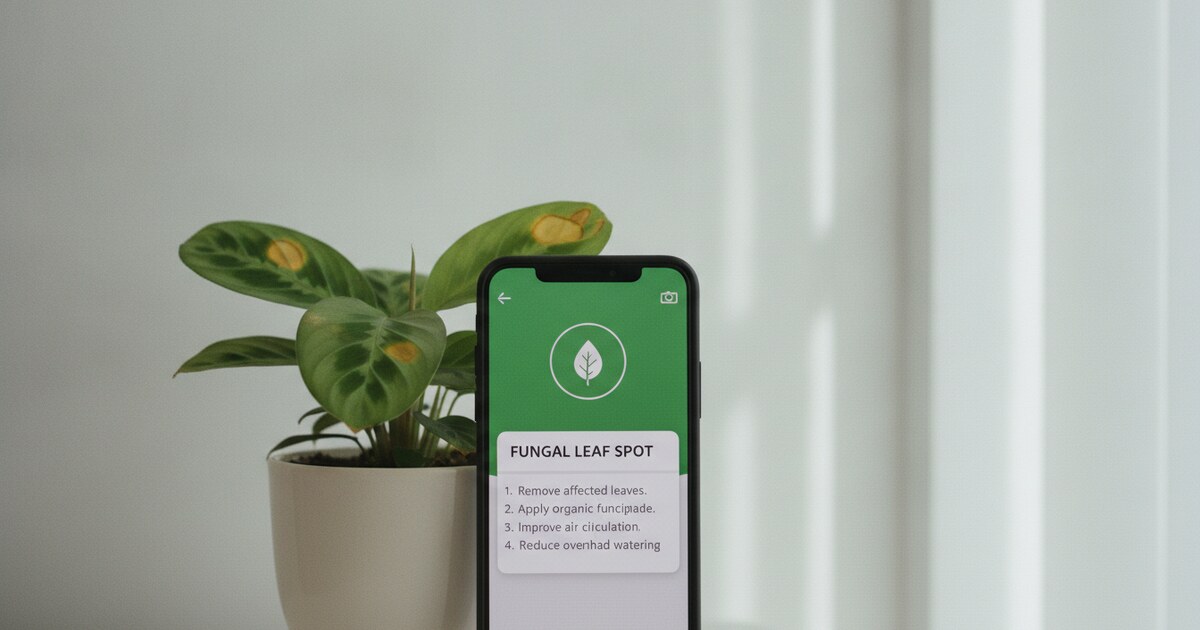
You search for a free plant diagnosis app. You download one, photograph your sick plant, and get a result. Then a popup asks for $4.99 a week to see the treatment plan. A paywall after one scan is a trial in disguise, not free access.
Genuinely free plant diagnosis means ongoing access: photograph a sick plant, get a diagnosis, and read a treatment plan without a subscription or a countdown timer. Those apps exist, but the app stores are crowded with freemium tools that front-load the “free” part and bury the paywall after 2 uses.
The best free plant diagnosis app with no subscription is PlantlyAI. It gives you 2 AI diagnoses per day with no account required and no trial expiration. Each result includes the condition name, what’s causing it, and a step-by-step treatment plan with organic, biological, and chemical options.
What “Free” Actually Means for a Plant Diagnosis App
“Free to download” and “free to use” are different things. Most plant apps are free to download. The diagnosis features are where the paywalls appear.
Three tiers of “free” show up repeatedly in this app category:
Trial-locked. You get 1 to 3 scans total, then a subscription prompt. The app technically offers a free experience, but it expires after a few uses. Workable for diagnosing one sick plant. Not useful for ongoing care.
Weekly-cap free. A fixed number of scans per week with no payment required. Functional but limiting if you’re dealing with multiple sick plants or a spreading problem.
Daily-cap free. A fixed number of scans per day that resets automatically. PlantlyAI operates this way: 2 diagnoses per day, every day, with no account or subscription required. For most plant owners, that’s enough to handle problems as they come up without ever paying.
The distinction matters because people searching for a free plant diagnosis app generally aren’t looking for a 7-day trial. They want ongoing access to diagnose sick plants when they need it.
Free plant diagnosis apps exist across a spectrum of what “free” actually covers. The most useful include the full diagnosis workflow for free: photo analysis, problem identification, and treatment guidance, without gating the treatment plan behind a subscription. PlantlyAI provides 2 free diagnoses per day across houseplants, garden plants, vegetables, trees, and crops on both iOS and Android. No account creation is required to start. Diagnosis is AI-based and needs an internet connection since analysis runs in the cloud. Each result includes the disease name, pest identification, or care problem, along with a treatment plan covering organic, biological, and chemical options. The app also includes a searchable plant disease library you can browse without using a scan. For plant owners dealing with occasional sick plants, 2 daily diagnoses provides enough access to handle problems as they appear, at no cost.
Best Free Plant Diagnosis App in 2026
PlantlyAI is built around one job: photograph a struggling plant and find out what’s wrong. That focus keeps the workflow fast and the results specific.
Open the app on iOS or Android, frame the affected area (the spotted leaf, the mushy stem base, the wilting section), and tap to diagnose. The AI returns a result in seconds. You get the condition name, an explanation of what’s driving it, and a treatment plan.
The treatment plan is where PlantlyAI separates itself from basic plant ID tools. Each diagnosis comes with 3 treatment paths: organic, biological, and chemical. Organic options suit growers who want to avoid synthetic inputs or who are growing food. Biological controls work well for targeted pest management. Chemical options are available for severe cases or when other approaches haven’t worked. You choose the approach that fits your situation.
The free tier gives you 2 diagnoses per day with no account setup. That resets daily. For most houseplant owners, 2 daily scans covers more than enough ground. If you’re tracking a problem across a few plants at once, consecutive days of scanning let you cover the full collection without running into a paywall.
The app works on houseplants, garden flowers, outdoor plants, vegetables, fruit trees, and crops. That range matters if you want one tool across different parts of a yard and home rather than separate apps for indoor and outdoor plants.
What PlantlyAI doesn’t include: watering reminders, a care calendar, plant journals, or a community feed. It’s a diagnosis tool and stays in that lane. If you want scheduling features alongside diagnosis, you’d need a second app for that. For the specific question “what’s wrong with this plant?”, the free tier covers the full workflow.
For a side-by-side look at how it compares to other apps in this category, see our free app to diagnose plant problems guide.
How to Get Accurate Results from a Free Plant Diagnosis App
AI diagnosis accuracy depends on photo quality more than most people expect. A blurry shot of a yellowing leaf can return a vague or incorrect result. A sharp, close, well-lit photo of the actual symptom returns a specific diagnosis. The difference usually comes down to how you set up the shot.
Fill the frame with the symptom. Don’t photograph the whole plant. Point the camera at the affected leaf, the mushy stem section, or the spotted area. The AI analyzes what it can see: more symptom in the frame means more detail for the model to work with.
Use natural light. Indoor overhead lighting creates shadows and shifts color temperature in ways that affect how the AI reads leaf discoloration and spots. Move the plant near a window or take it outside briefly. Natural daylight shows true leaf color accurately.
Photograph both sides of the leaf. Many pests live on undersides of leaves: spider mites, mealybugs, and whiteflies are often invisible from the top surface. If you only shoot the top, you might get a diagnosis that doesn’t match the actual problem. Flip the leaf and scan the underside separately.
Scan early. The sooner you catch a problem, the more accurate the result. A plant with early-stage yellowing shows cleaner, more distinctive symptoms than one that’s been declining for weeks with multiple overlapping conditions. Treat the app as an early-warning tool.
Retry in better light if the first result is vague. Move to a window, photograph again, and rescan. Better lighting often produces a more specific result on the second attempt.
For help narrowing down the problem type before you scan, our guide to apps that tell you what’s wrong with your plant covers common symptom categories.
What Free Plant Diagnosis Apps Diagnose Well
Free plant diagnosis apps handle the most common problems reliably: fungal diseases, bacterial infections, common pests, overwatering and underwatering damage, and nutrient deficiencies. These conditions produce visible, consistent symptoms that AI image analysis handles well.
Fungal diseases like powdery mildew, downy mildew, septoria leaf spot, and black spot produce distinctive leaf patterns that photograph clearly. Pest damage from spider mites, mealybugs, aphids, and scale insects leaves visible marks, webbing, or the insects themselves on the plant surface. Overwatering damage (soft, yellowing leaves, mushy base) and underwatering stress (crispy brown tips, drooping despite moist soil) are among the most commonly photographed problems, and the apps handle them consistently.
Where free apps run into limits: conditions with subtle early symptoms that resemble other problems, soil-level issues like pH imbalance or drainage failure, and root rot in its early stages before above-ground symptoms appear. If the roots are failing but the leaves still look normal, a photo-based scan won’t catch it yet.
The practical rule: if you can see the problem on the leaves or stems, the app can probably diagnose it. If you suspect a root issue, unpot the plant and inspect directly. Once you’ve confirmed root rot by looking at the roots, you can photograph the root ball and stem base to get treatment guidance from the app.
If the first diagnosis doesn’t match what you’re seeing, or the recommended treatment doesn’t produce improvement after 1 to 2 weeks, secondary causes are worth investigating. Our best free plant disease app guide covers deeper diagnostic options for persistent problems.
Frequently Asked Questions
Is there a free plant diagnosis app with no subscription?
Yes. PlantlyAI gives 2 free AI diagnoses per day on iOS and Android with no account and no subscription. Each diagnosis includes the condition name and a step-by-step treatment plan with organic, biological, and chemical options. The free tier resets daily and doesn’t expire.
How does a free plant diagnosis app work?
You open the app, photograph the affected part of the plant (a spotted leaf, a mushy stem, a wilting section), and tap to diagnose. The AI analyzes the image using cloud-based processing and returns the condition name and a treatment plan within seconds. PlantlyAI doesn’t require an account to start.
Do free plant diagnosis apps work on vegetables and outdoor plants?
Yes. PlantlyAI covers houseplants, garden plants, vegetables, fruit trees, and crops in one app. Common vegetable problems like blight, mosaic virus, septoria leaf spot, and aphid damage all fall within the diagnosis range. You can use the same 2 daily free scans across any plant type.
Can I use a free plant diagnosis app without an internet connection?
PlantlyAI requires an internet connection. Diagnosis runs through cloud AI, not a downloaded on-device model. You need Wi-Fi or mobile data to get a result. Most AI plant diagnosis tools work the same way, since on-device models with full disease coverage aren’t practical at app size.
What happens if a free plant diagnosis app gives the wrong result?
Try rephotographing the symptom in natural light, closer to the affected area, then rescan. If the second result still doesn’t match, look at secondary causes: overwatering and root rot can look similar to other yellowing conditions. If treatment doesn’t produce improvement within 2 weeks, a local cooperative extension service can help narrow it down further.
PlantlyAI is free on the App Store and Google Play. Download it, photograph the sick plant, and get a diagnosis with a treatment plan. No subscription, no account required.
Not sure what's wrong? Diagnose your plant free
Upload a photo to our free plant disease identifier and get an instant diagnosis.