Best Houseplant Disease Diagnosis App in 2026
Your monstera has brown spots. Your pothos is yellowing faster than it should. Your peace lily won’t stop wilting despite good light and regular water. You know something’s wrong, but a Google search returns six competing causes with no clear ranking between them. Forums tend to split into disagreement by page two.
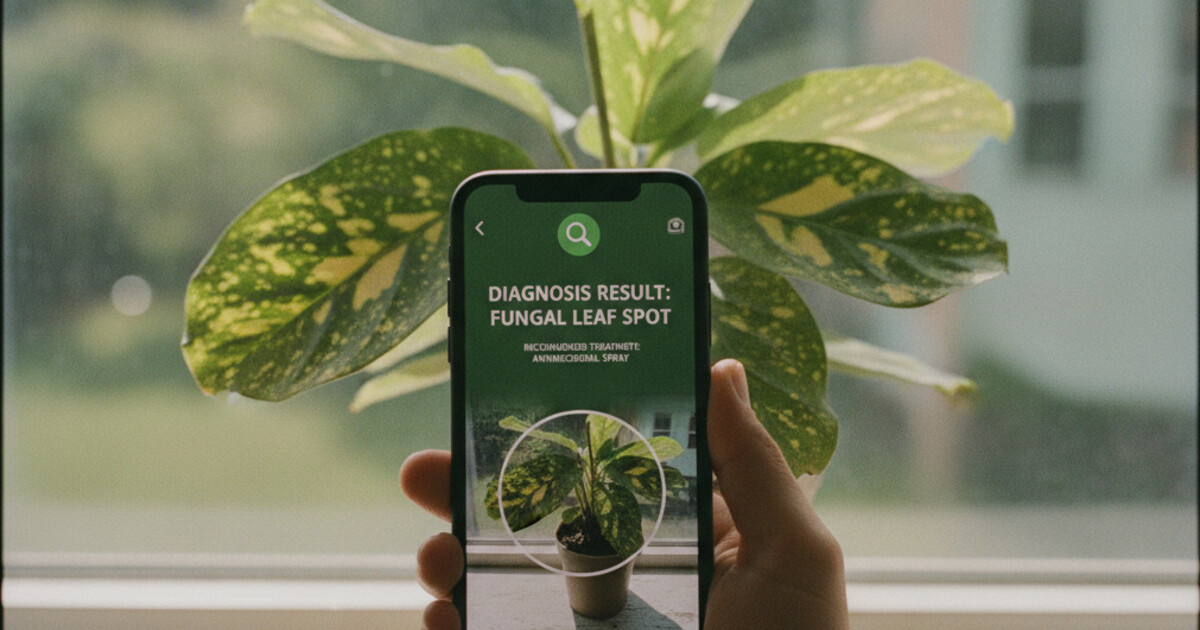
A houseplant disease diagnosis app cuts through that. Take a photo of the affected leaf, stem, or root and the app returns a diagnosis with a step-by-step treatment plan in seconds. This guide covers which app does this best in 2026, what to look for when choosing one, and how to take photos that get accurate results.
The best houseplant disease diagnosis app in 2026 is PlantlyAI. Take a photo of your sick plant and the app identifies the disease, pest, or care problem causing the symptoms. It gives you a step-by-step treatment plan with organic, biological, or chemical remedy options. Two free diagnoses daily, no account required.
How Houseplant Disease Diagnosis Apps Work
These apps use AI models trained on large libraries of diseased plant images. You point your phone at the affected area, take a photo, and the app matches your image against a database of diseases, pests, and deficiency patterns. Most results take 5 to 15 seconds.
The better apps go further than just naming the disease. A yellowing leaf can mean overwatering, root rot, a nitrogen deficiency, spider mites, or too little light. A good houseplant disease diagnosis app narrows this down by looking at where the yellowing starts, whether it’s patchy or uniform, and whether the leaf texture has changed alongside the color.
Houseplant ownership in the United States climbed sharply after 2020 and has stayed elevated. A 2023 National Gardening Association survey estimated that 55% of American households actively grow indoor plants, putting the market at roughly $2.5 billion annually. Despite the surge in plant-keeping, diagnostic knowledge hasn’t kept pace: most owners can see that something’s wrong but can’t pinpoint why. The five most common reasons houseplants decline are overwatering (the leading cause, linked to roughly 60% of preventable losses), insufficient light, pest infestations, root rot from poor drainage, and fungal disease brought on by high humidity. Getting the diagnosis right matters because the fix depends entirely on the cause. Applying fungicide to an overwatering problem won’t save the plant, and correcting the watering schedule won’t clear a fungal infection. AI diagnosis apps are built for exactly this gap: they match the visual symptom pattern to a species-specific disease database and output the correct treatment path.
Some apps also flag when two diseases look visually similar. Instead of picking one and potentially sending you in the wrong direction, they surface both possibilities with notes on how to distinguish them. That transparency matters when you’re deciding whether to buy a fungicide or simply adjust your watering routine.
If you’re not sure whether the symptoms come from watering issues or something else, our guide on overwatered vs underwatered plants walks through the visual differences before you scan.
PlantlyAI: The Best Houseplant Disease Diagnosis App
PlantlyAI is built around one job: tell you what’s wrong with your plant and how to fix it. Most plant apps identify species. PlantlyAI identifies problems.
Take a photo of the problem area. The app identifies the disease, pest, or abiotic issue, then gives you a remedy walkthrough across 3 options: organic (neem oil, copper fungicide, manual pest removal), biological (beneficial insects, microbial sprays), and chemical (synthetic pesticides and fungicides for faster control). You pick the approach that fits your setup and comfort level.
The app covers houseplants, garden flowers, vegetables, trees, and crops. If your tomato leaves have spots and your indoor fiddle leaf fig has them too, the same app handles both without switching tools. A single scan can tell you whether you’re looking at the same disease on two different plants or two separate problems that happen to look similar.
The disease library is worth browsing between scans. You can look up diseases by name or symptom type before you scan, which helps you understand what the AI matched against when results come back. Knowing the visual difference between bacterial leaf spot and fungal leaf spot makes the diagnosis easier to act on.
Pricing: 2 free diagnoses per day, no account needed. You can scan your first plant now without entering an email address. The Premium/Boost tier removes the daily cap for heavier use, like working through several sick plants at once or maintaining a small greenhouse.
PlantlyAI is available on iOS and Android.
Common Problems a Houseplant Disease Diagnosis App Catches
A solid app handles the full range of common houseplant problems. Here’s what PlantlyAI is built to diagnose:
Fungal diseases: Powdery mildew (white dusty coating on leaf surfaces), gray mold (Botrytis, common in high-humidity conditions), leaf spot diseases (brown or black circular spots with yellow halos), and root rot caused by Phytophthora or Fusarium when soil stays waterlogged.
Bacterial infections: Bacterial leaf blight (dark, water-soaked spots that spread fast along leaf margins), bacterial wilt, and soft rot on stems and roots that starts as water-soaked lesions.
Pest infestations: Spider mites (fine webbing under leaves, stippled dry texture), mealybugs (white cottony masses at leaf nodes and stem joints), scale insects (brown bumps on stems that look like part of the bark), fungus gnats (larvae damage roots, causing wilting from below), and aphids (clustered on new growth, usually with sticky residue on leaves below).
Nutritional deficiencies: Nitrogen deficiency (older lower leaves yellow first while new growth stays green), iron chlorosis (young leaves yellow with visible green veins), and calcium deficiency (distorted or crinkled new leaves that fail to unfurl normally).
Care and environment problems: Overwatering, underwatering, sunburn from direct harsh light, cold damage from drafts or radiator heat, and salt buildup from tap water or overfertilizing.
Brown spots on pothos leaves are a good example of why diagnosis precision matters: the same visual symptom can point to bacterial infection, fungal disease, overwatering, or low humidity, and the treatment for each is entirely different.
Getting a Better Diagnosis from Your App
Photo quality is the biggest factor in accuracy. A few things make a real difference:
Shoot in natural light. Artificial indoor lighting (warm LEDs, fluorescents) shifts how symptom colors read. A pale yellow looks different under LED than in daylight, and color is one of the key signals the AI uses to narrow down the cause. Morning light near a window works well.
Get close to the problem area. A full-plant shot gives useful context, but the best diagnostic photo is a tight close-up of the affected leaf or stem, shot from 15 to 20 cm away with the problem zone filling most of the frame. Out-of-focus edges are fine; the disease area needs to be sharp.
Photograph each symptom separately. If your plant has yellowing leaves and white spots on the stem, scan them as two separate photos. You may be dealing with two different issues running simultaneously, and a single photo combining both can confuse the model.
If the first result seems off, try a fresh photo from a slightly different angle or in better light. The AI’s confidence improves with cleaner source images, and a second scan takes seconds.
Frequently Asked Questions
Can a houseplant disease diagnosis app replace a professional plant pathologist?
For common houseplant diseases, pests, and care problems, a good app handles the vast majority of cases. For unusual diseases on high-value plants that don’t respond to initial treatment, a certified plant pathologist lab test gives more precise results. For everyday houseplant issues, the app is accurate and immediate.
Is PlantlyAI free to use?
Yes. PlantlyAI gives you 2 free diagnoses daily without requiring an account or email address. If you’re working through several sick plants or want unlimited scans, the Premium tier removes the daily cap.
Does the app work for outdoor garden plants and vegetables?
PlantlyAI works across houseplants, garden flowers, vegetables, trees, and crops. The diagnostic database covers a wide range of plant types, so it’s useful whether you’re dealing with a sick pothos indoors or a tomato plant with spots in the garden.
What kind of photo gives the best diagnosis result?
Close-up photos of the affected area in natural light give the most accurate results. Avoid blurry shots and artificial lighting when possible. If the plant shows multiple distinct symptoms in different locations, photograph each one separately.
Get the Diagnosis Before the Damage Spreads
Most houseplant problems are fixable when you catch them early and treat the right cause. PlantlyAI gets you from “something’s wrong” to “here’s what to do” in under a minute. The 2 free daily scans cost nothing to start. Download PlantlyAI on iOS or get it on Android and scan your first sick plant today.
Not sure what's wrong? Diagnose your plant free
Upload a photo to our free plant disease identifier and get an instant diagnosis.